- EasyImage lets you do all the basic image operations – converting, cropping, resizing, rotating, flipping…
- Plus it let’s you do some really cool affects.
- All is done super easily.
- Combining operations can produce some very cool results.
- Open image.
- Save image
- Convert image
- Re-size image
- Crop image
- Convert to black and white image
- Rotate image
- Flip image
- Add color to image
- Create image with multiple instance of the original
- Combining 2 images together
- Emphasize parts of the image
- Affine transform image
Download
Download EasyImage.jar
Download source
View in GitHub
JavaDoc
Click here to see full java doc.
Operations
Examples
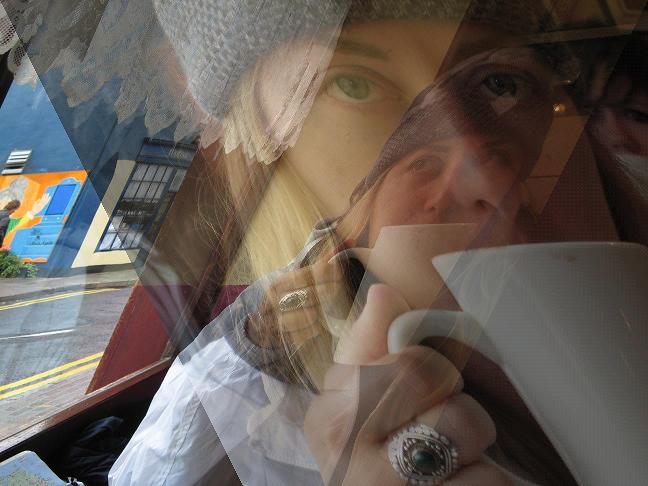
Combining 2 pictures
Image image  = new Image("c:/pics/p1.jpg");
image.combineWithPicture("c:/pics/p2.jpg");
image.saveAs("c:/pics/p1combinedWithp2.jpg");

Emphasizing parts of the image
        Image image  = new Image("c:/pics/p1.jpg");
        image.emphasize(250, 200, 2300, 500);
        image.saveAs("c:/pics/p1Emphesized.jpg");

Affine transform + combine
        Image image  = new Image("c:/pics/p1.jpg");
        Image image2  = new Image("c:/pics/p2.jpg");
        image.affineTransform(0.5, 0.0);
        image2.affineTransform(-0.5, 0.0);
        image2.combineWithPicture(image,Color.black);
        image2.saveAs("c:/pics/affineTransformAndCombine.jpg");
Add color to image
        Image image  = new Image("c:/pics/p1.jpg");
        image.addColorToImage(Color.red, 5);
        image.saveAs("c:/pics/addColorToImage.jpg");

Add to pixel color
        Image image  = new Image("c:/pics/y2.jpg");
        image.addPixelColor(111111);
        image.resize(40);
        image.crop(100, 0, -1, -1);
        image.saveAs("c:/pics/addPixelColor.jpg");
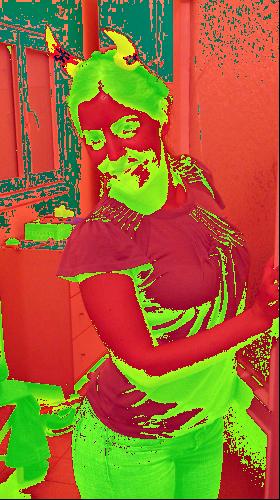
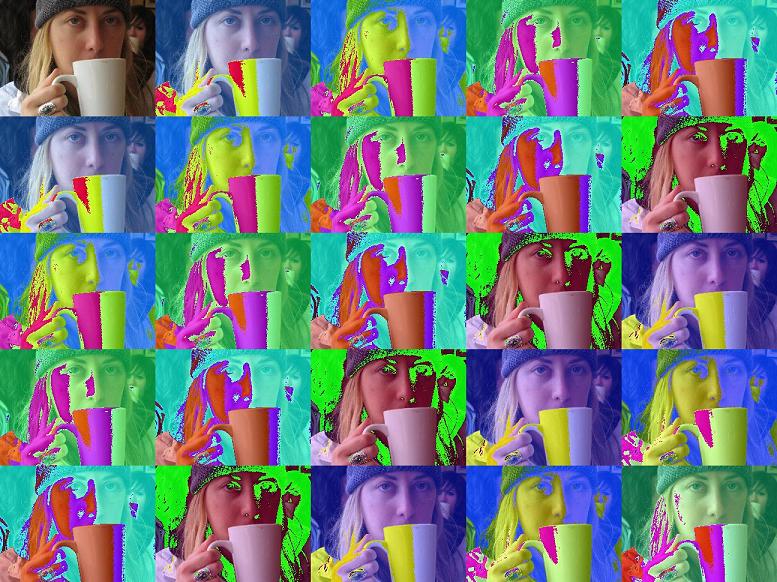
Image resizing + multiplying with pixel color enhancement
        Image image  = new Image("c:/pics/p1.jpg");
        image.resize(10);
        image.multiply(5, 5, 11111);
        image.saveAs("c:/pics/multiply+color.jpg");
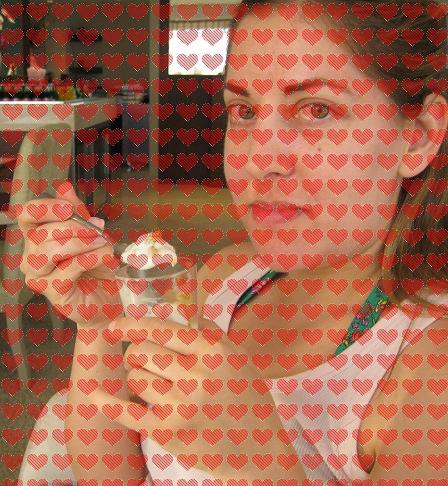
Combine image with image without background
        Image image  = new Image("c:/pics/heart.gif");
        image.multiply(20, 20);
        Image image2  = new Image("c:/pics/p6.jpg");
        image2.crop(400, 0, -1, -1);
        image2.combineWithPicture(image,3,Color.white);
        image2.saveAs("c:/pics/combineWithPictureWithoutBackground.jpg");
Emphasize trick
Image image  = new Image("c:/pics/p1.jpg");
        int width = image.getWidth();
        int height = image.getHeight();
        for(int i=0,c=0;i<height;c++,i+=50){
            int x = width/2  - i;
            int y = height/2 - i;

            image.emphasize(x, y, width-1-x, height-1-y,
                        Color.BLACK, 12 - c/4);
        }
        image.saveAs("c:/pics/emphesizeTrick.jpg");
i don`t know how to used width swing.can you help me!